Research the property
Paste an address. AI searches for recent comparable sales and property facts, then explains the likely ARV in plain language.
Underwrite the opportunity, run the rehab, operate the rental, and see portfolio performance in one live record. Start with the job in front of you and keep the history when the strategy changes.
Free workspace. No card required. Built for individual operators and teams.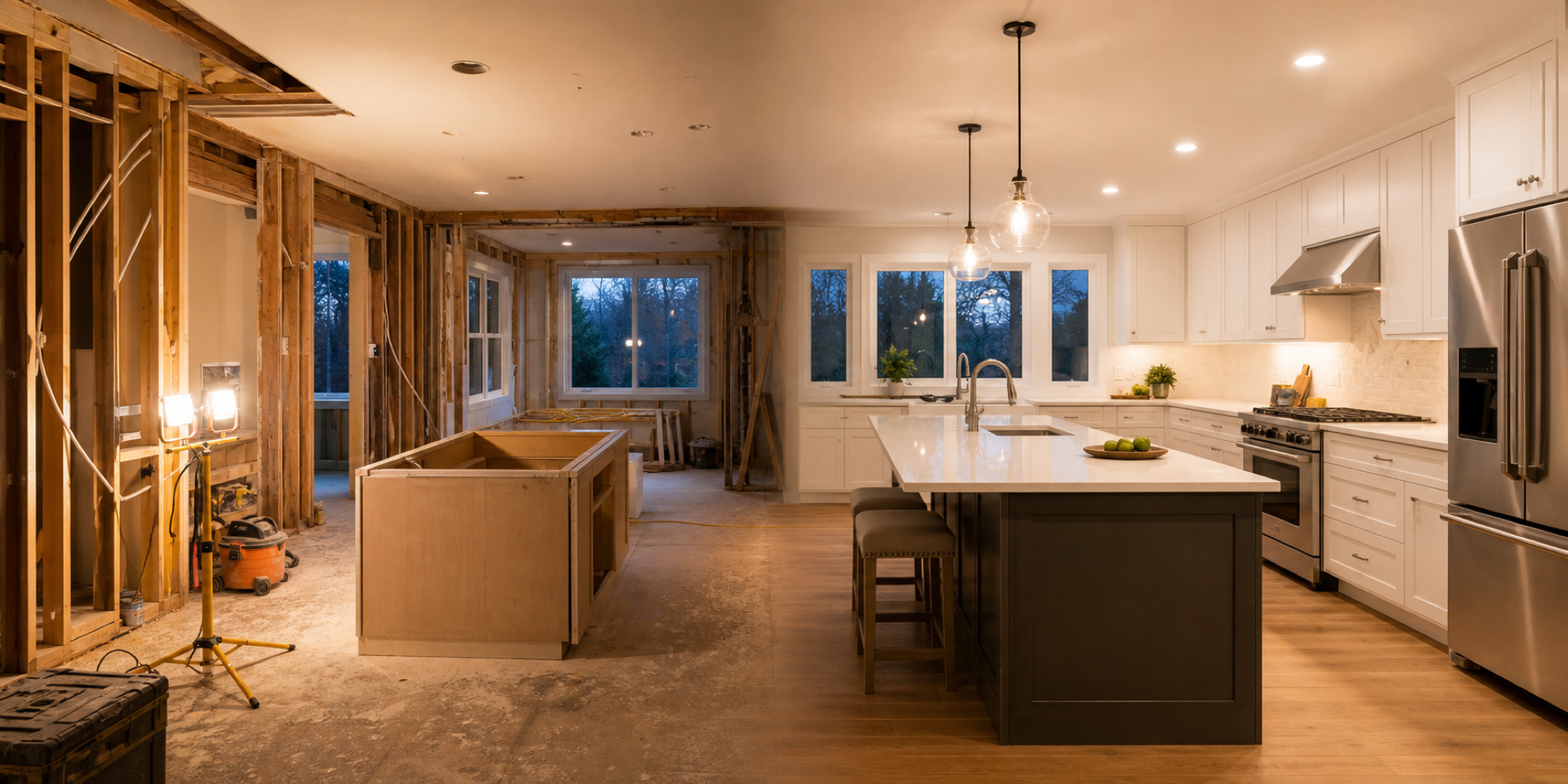
Rehabfolio adapts the setup and next steps to your strategy. Every path uses the same property record, so nothing gets rebuilt later.
Research the property, stress-test the numbers, set a maximum offer, and keep the evidence.
Start underwriting →02Turn scope into bids, budget, schedule, tasks, receipts, draws, and partner updates.
Start a project →03Track leases, collections, expenses, monthly performance, NOI, cash flow, and DSCR.
Set up a rental →04See risk, activity, capital, performance, documents, and the next action across properties.
Open your portfolio →Enter an address and asking price to get ARV, estimated repairs, a 70% rule max offer, and projected profit. No account needed. Inside your free workspace, AI researches comparable sales, property records, and risks in more detail.
Add the address and asking price. You can include property details for a more useful starting estimate. No account or card required.
Your quick estimate runs in this browser. The full workspace can research comparable sales and property records.
Enter the address and asking price to see estimated value, repairs, offer range, and projected profit.
Your free workspace can research comparable sales, valuation sources, and tax records, then save the deal for later.
Rehabfolio was built around AI from the first screen - not a chatbot stapled to a spreadsheet. It pulls comparable sales, drafts a repair estimate from your walkthrough photos, and flags the assumptions that could sink the deal. Every number ships with its sources, and nothing saves until you approve it.
Paste an address. AI searches for recent comparable sales and property facts, then explains the likely ARV in plain language.
Add walkthrough photos and turn what you see into a starting repair list you can review, price, and change.
See a suggested max offer, expected profit, and the assumptions that could put the deal at risk.
3 Erie Ave, Brockton, MA 02302 - two-family, 4 bd / 2 ba, 2,361 sq ft, sample-listed at $649,000 after years of tenant wear. The quick estimate reads ~$55k profit at asking, with a keyword ARV of $876k. Then the research: Zillow's current Zestimate is $741,200, and the property sold fully renovated for $465,000 in 2020. Re-anchored to a ~$760k post-refresh ARV and ~$55k of cosmetic repairs, the 70% rule caps the offer near $477,000 - and at asking, the flip goes slightly negative.
A $135k ARV correction that flips the verdict is exactly why you research before you offer. Run it on your address - free, in your browser, no account.
Spreadsheets are great at math and terrible at everything around it: finding comps, keeping versions straight, and remembering why you picked a number. Here is the same flip, both ways.
The full breakdown, version chaos and all: Rehabfolio vs spreadsheets →
When you close, nothing gets rebuilt. The repair estimate becomes your rehab budget, the scope becomes your task list, and the ARV becomes your exit plan - so you always know whether the flip is still on track to make money.
Keep research, comps, scope assumptions, financing, risks, and the offer with the property.
Run bids, budget, schedule, tasks, receipts, photos, contractors, and materials.
Track leases, collections, expenses, monthly P&L, NOI, debt service, and cash flow.
Share current performance with partners, lenders, teammates, and your future self.
The assumptions made before an offer should still be visible when a contractor bids the scope, when a lender reviews a draw, and when a renovated property becomes a rental. Re-entering the same property across spreadsheets and point solutions creates expensive blind spots.
Rehabfolio keeps that story together. AI accelerates research and drafting, but the operator approves every important decision and the live record shows what changed.
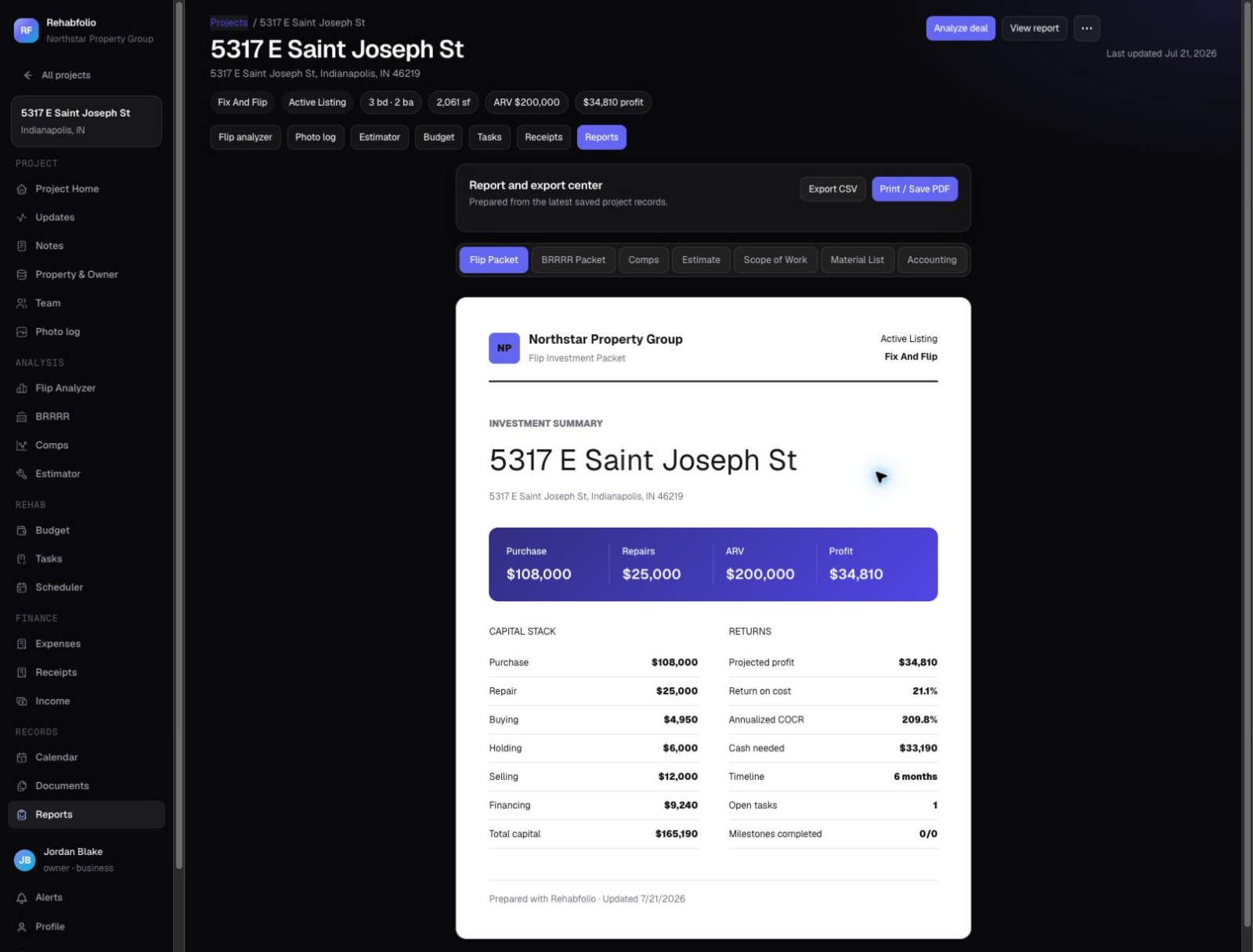
Unretouched screenshots from a live Rehabfolio workspace. What you see here is what you get on day one.
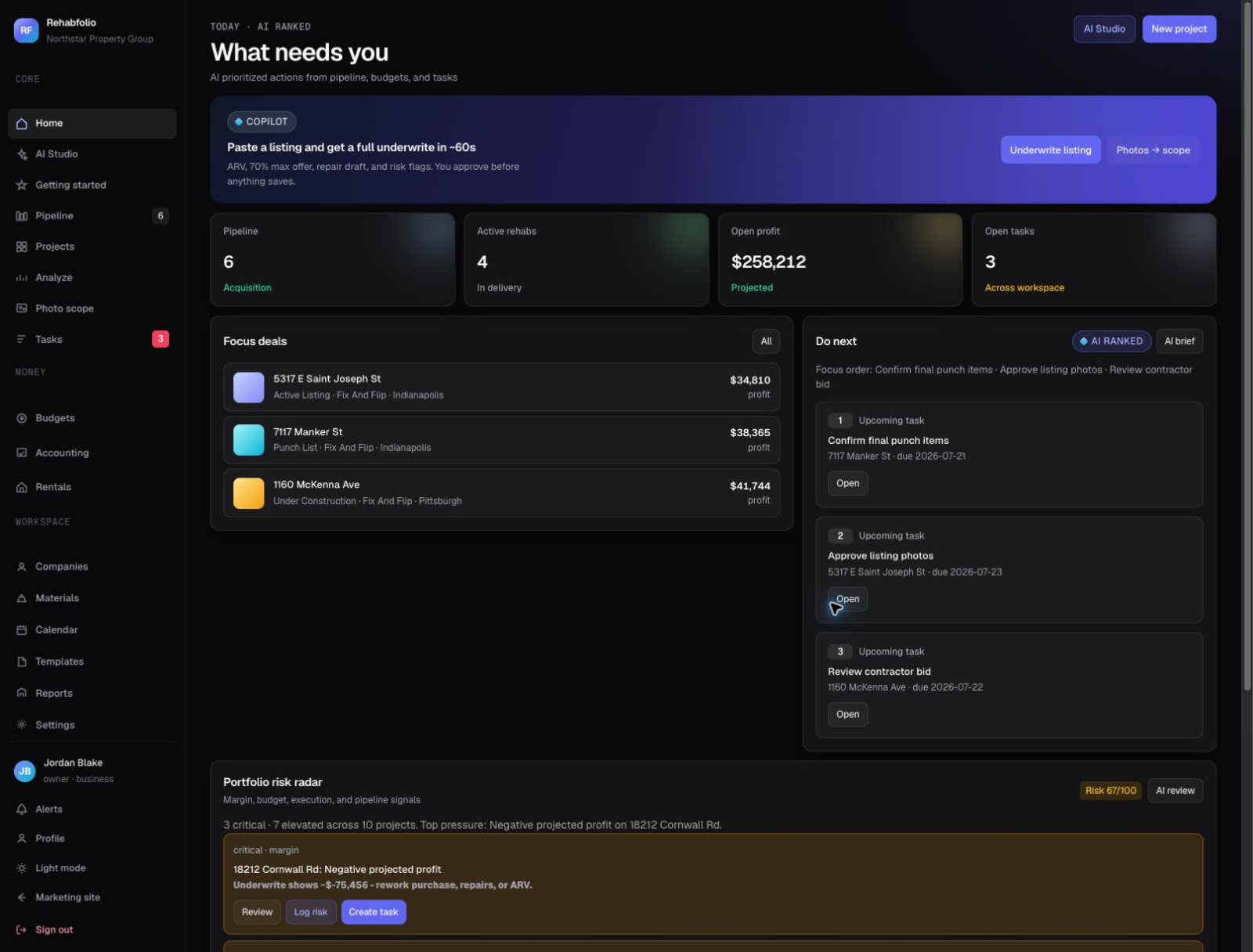
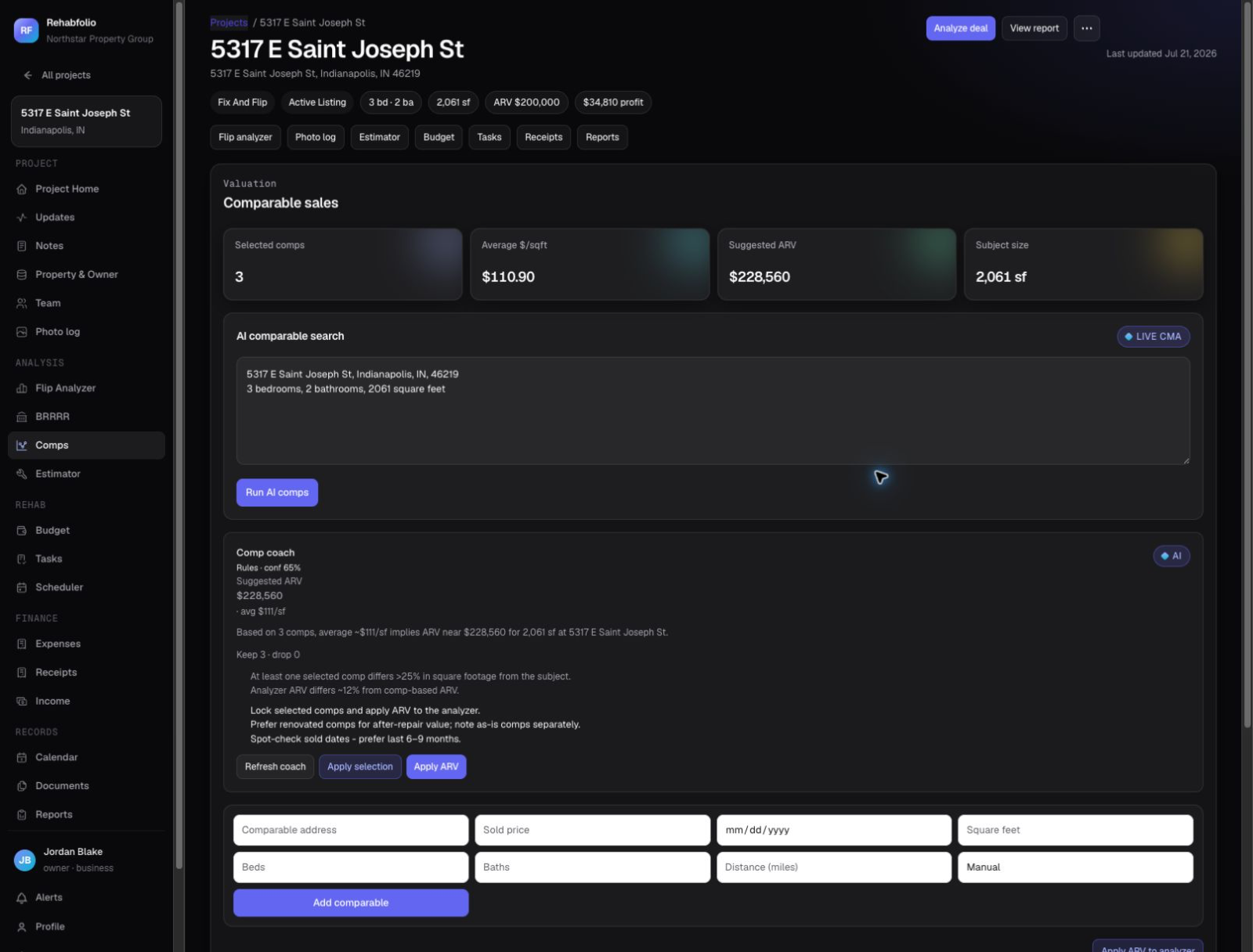
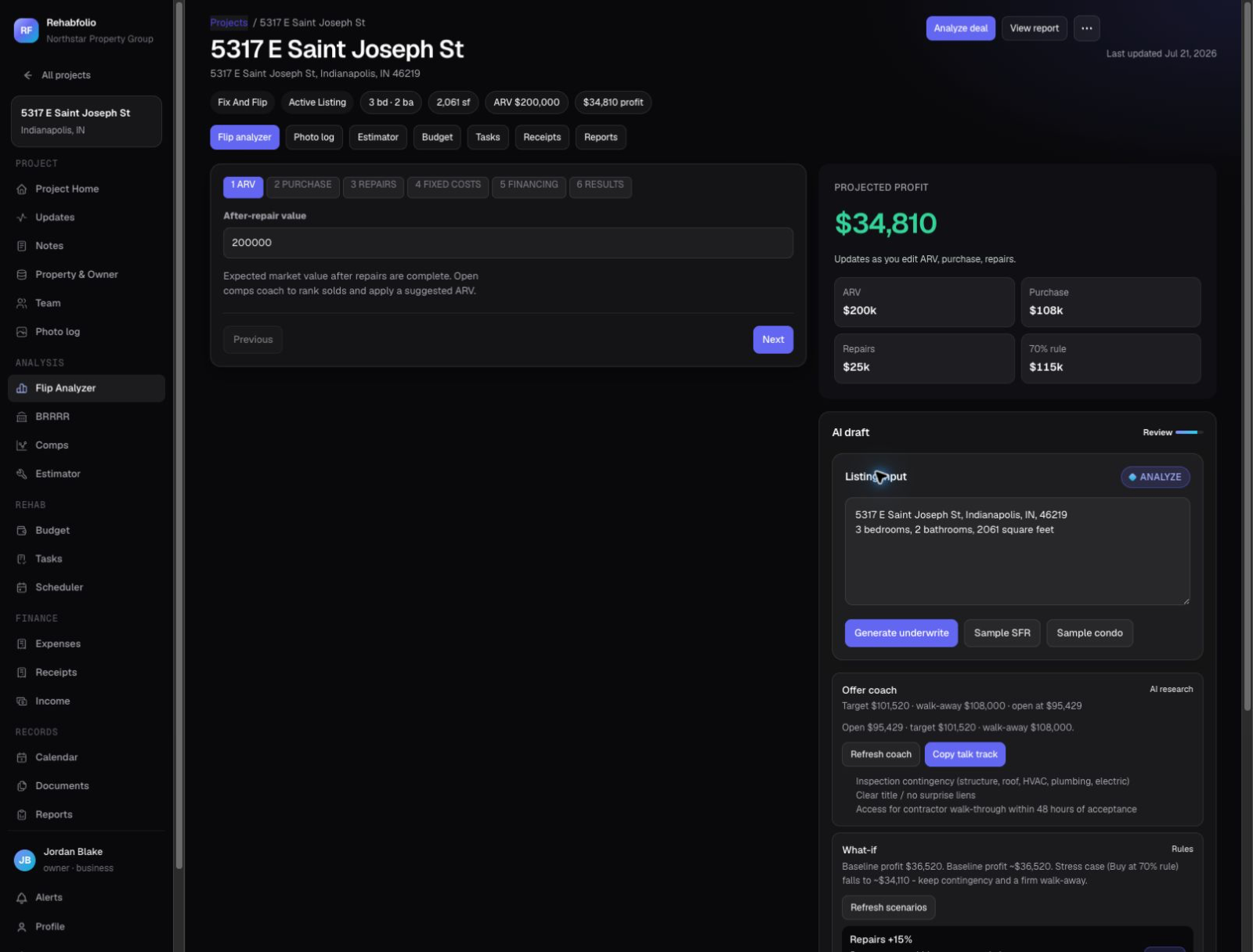
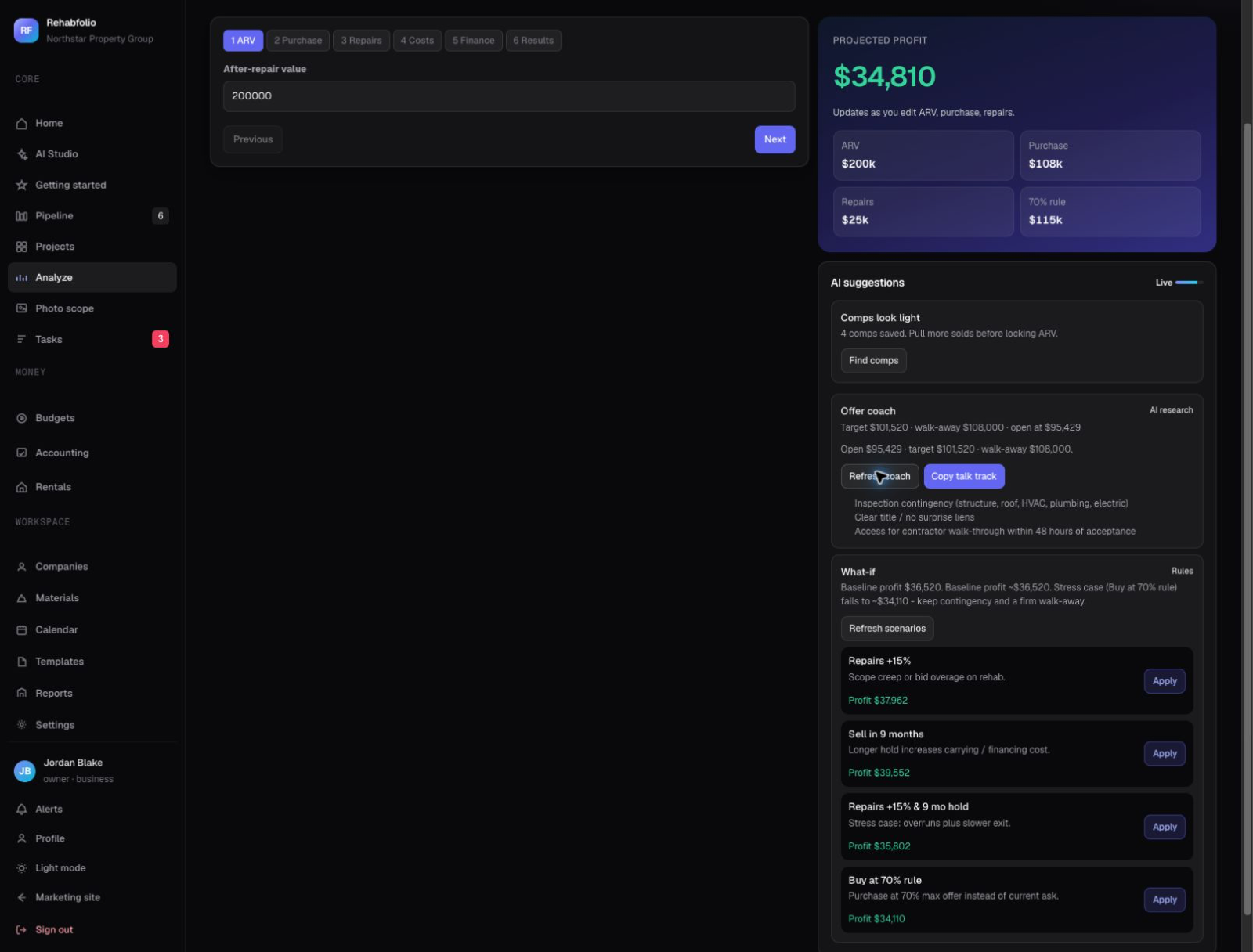
Start with the analysis. When a deal survives it, the same workspace carries the flip through rehab, budget, and exit.
Comparable sales, property records, valuation signals, sources, and confidence notes.
Explore property research →AnalyzePurchase, repairs, financing, holding, exit costs, profit, and maximum offer.
Explore deal analysis →EstimateScopes, quantities, labor, materials, templates, allowances, and contractor bids.
Explore rehab estimating →ExecuteSchedules, tasks, milestones, contractors, photos, files, and materials.
Explore project management →ControlBudget versus actual, receipts, vendors, commitments, and projected profit.
Explore budget tracking →ShareInvestment reports for lenders and partners, scopes, updates, and activity.
Explore reports →Open Rehabfolio in your phone browser during a showing: snap walkthrough photos straight into the deal, check your max offer on the driveway, and review the budget from the job site. Add it to your home screen for one-tap access.
Short, practical guides for people learning how to analyze and run their first flips.
 Deal analysis
Learn what ARV and repair costs mean, then walk through a simple offer example.
Read the guide → Flip costs
Interest, taxes, insurance, and utilities - what six months of ownership really costs.
Read the guide → Using AI safely
Use AI to research faster without letting it make the final investment decision.
Read the guide →Run one free analysis right now - no account, no card. Create a free workspace when you want the full comp research and to save the deal.